v0.2.3 · macOS · MIT · local only

Every project in your folders, one click from running.

Slothmore looks at each folder, works out how it runs (npm, Python, Go, Docker, notebooks, MCP servers and more), starts it, shows the output and the port, and stops it again. It lives in the menu bar, and opens as a full window when you need more room.

brew install markusswedpal/tap/slothmore
View on GitHub →
  • Menu bar quick panel
  • Full dashboard window
  • Binds to 127.0.0.1 only
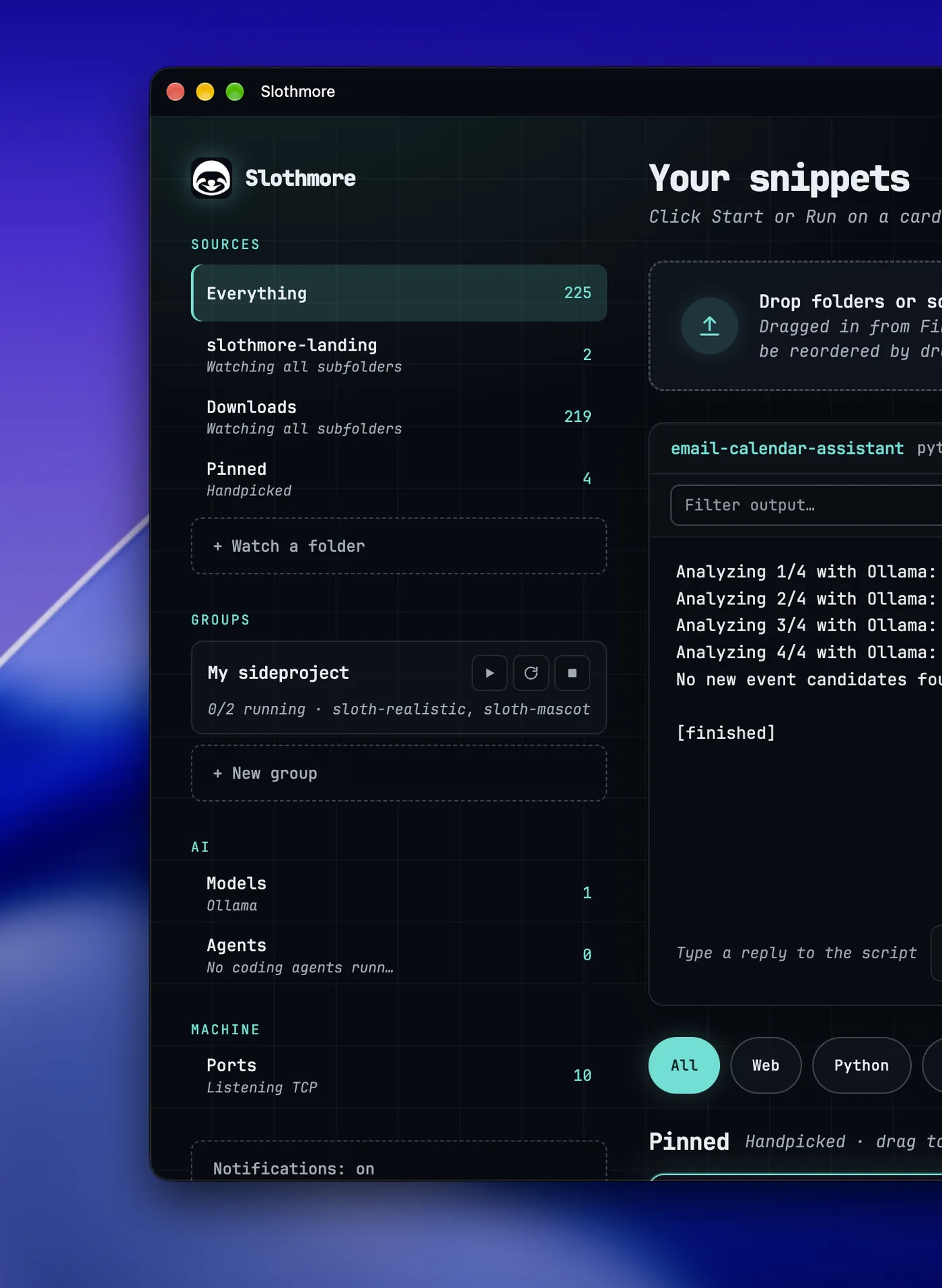
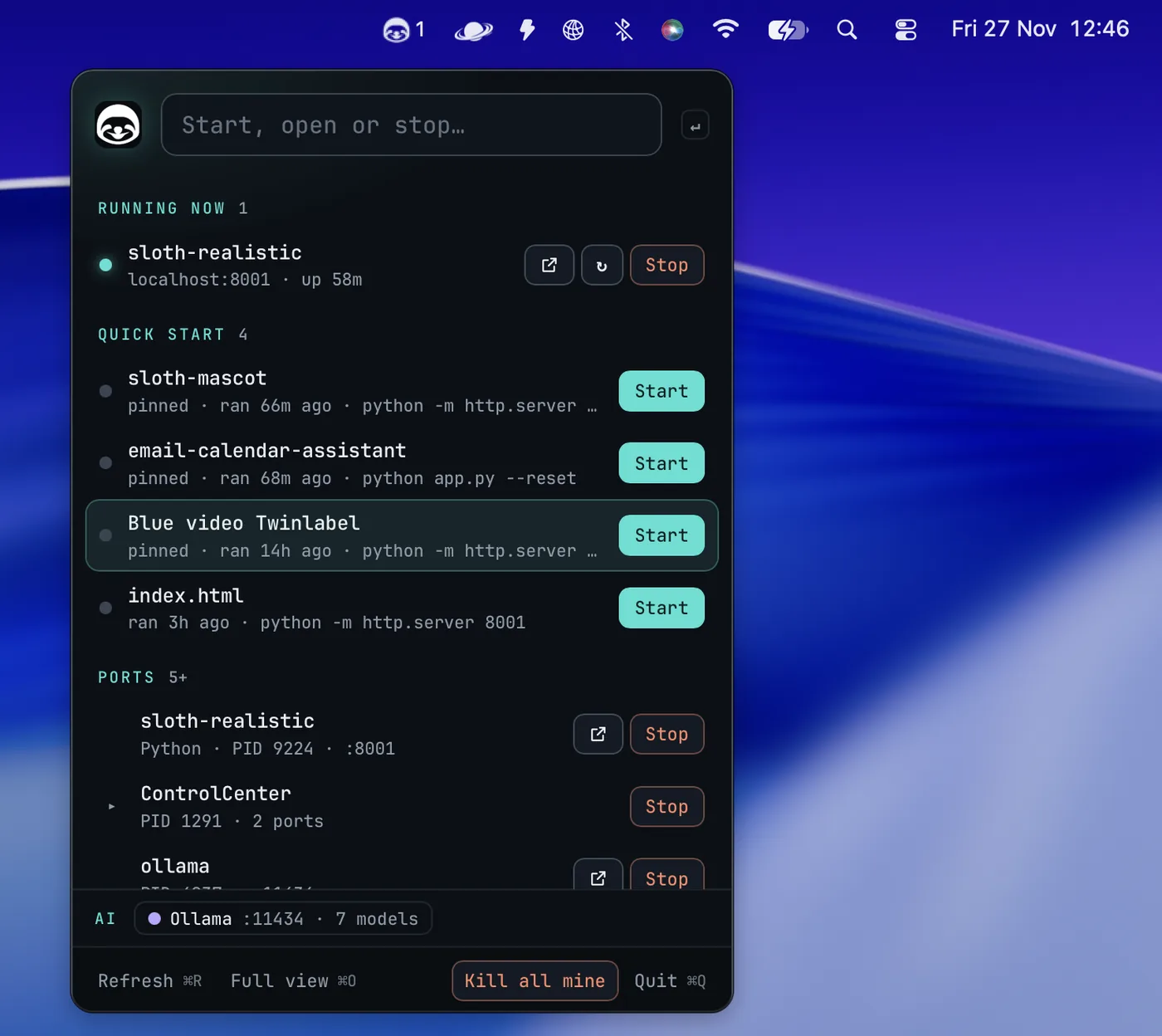
Slothmore dashboard window with sources, groups, AI and ports in the sidebar Slothmore quick panel open under its sloth icon in the macOS menu bar
Menu bar quick panelFull window

The tour

Scroll through what it does.

Every screen below is from Slothmore 0.2.3.

01 Menu bar

Lives in your menu bar.

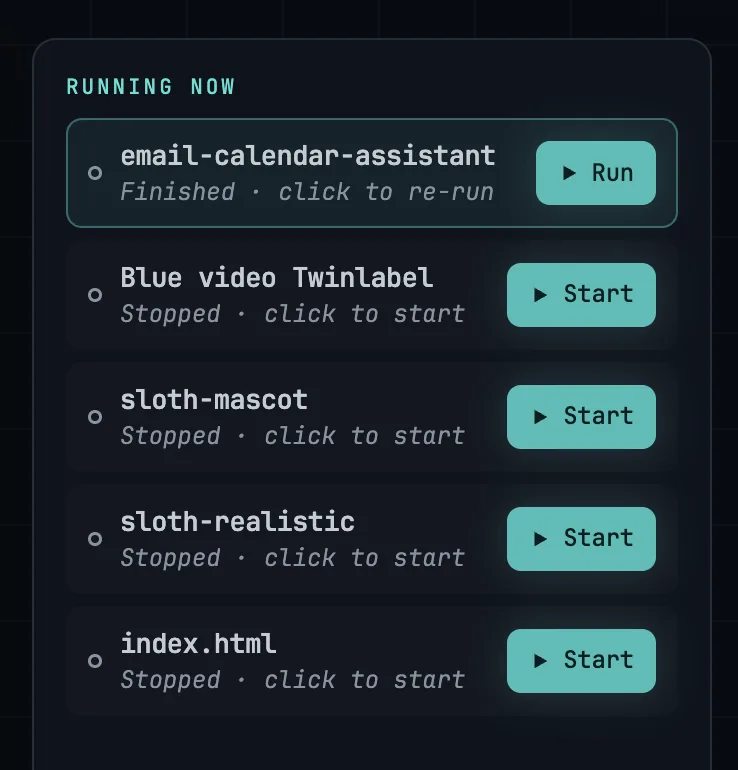
Click the sloth icon and a quick panel drops down. Type to find a project; Enter starts the top match. Running now shows the port and uptime with Open, Restart and Stop. Quick start lists pinned and recent items first, followed by Ports and local AI servers.

  • slothmore menubar --install-login keeps it there after restart
  • Optional hotkey: --hotkey alt+space
  • Right-click for the classic menu
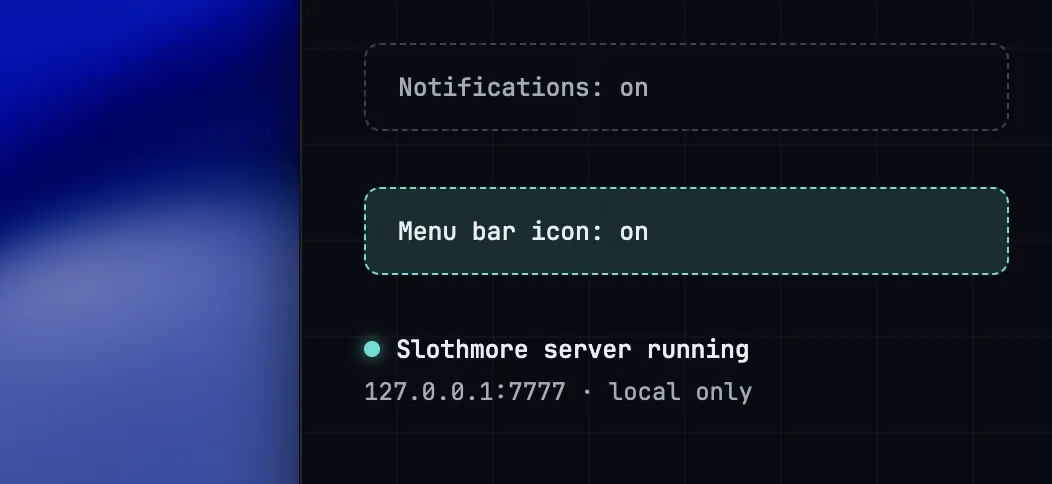
Quick panel with Running now, Quick start, Ports and AI sections Sidebar toggles for notifications and the menu bar icon, and the server address 127.0.0.1:7777

02 Full window

And as a full window.

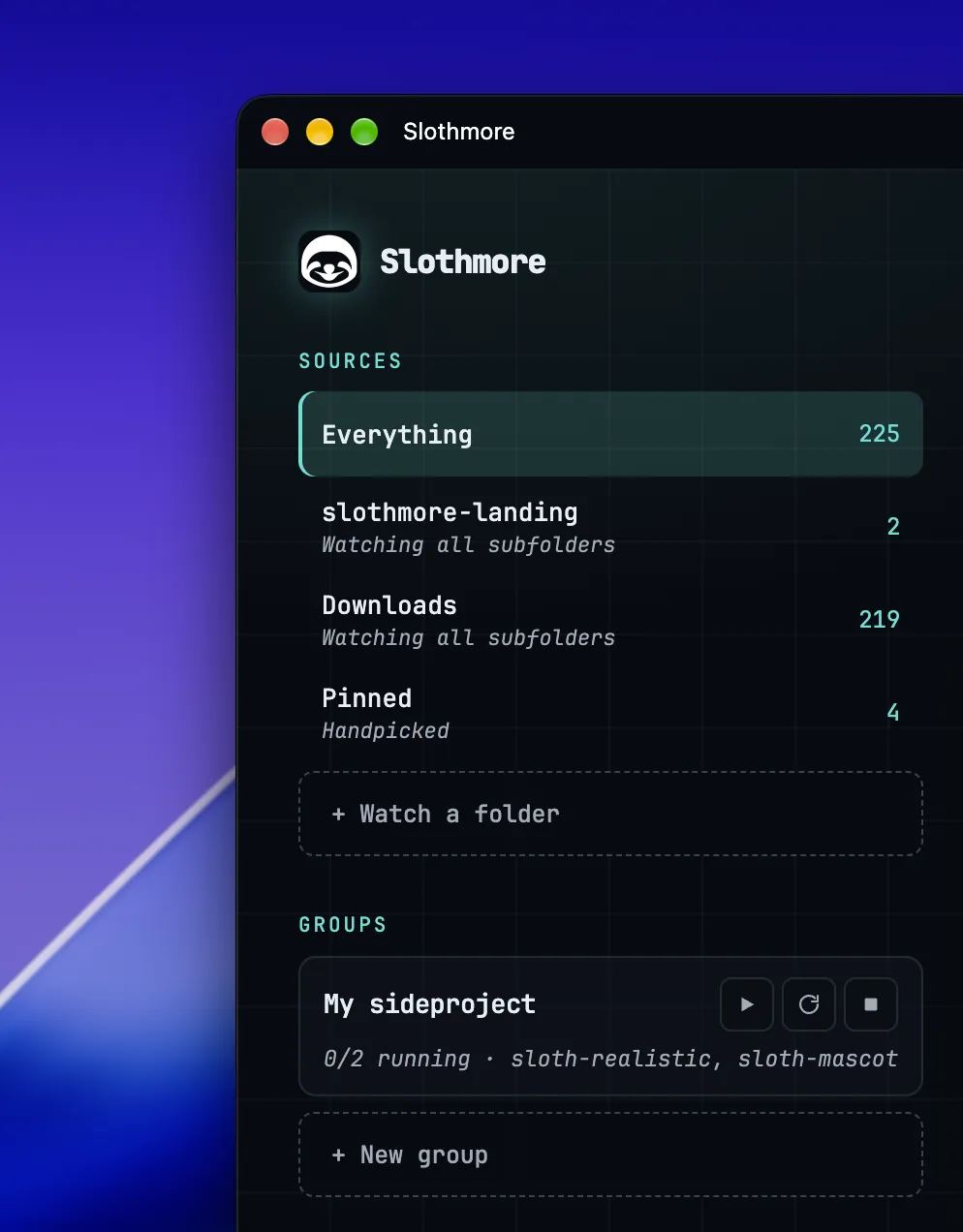
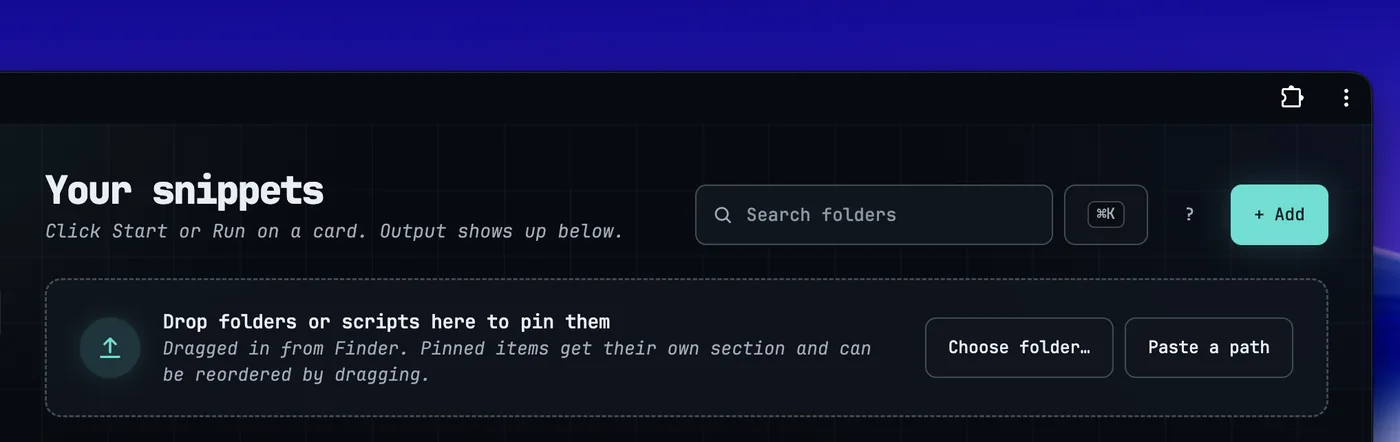
Full view ⌘O opens the dashboard: watched folders, groups, AI, ports, and every project as a card with its own output. It runs from the same local server as the quick panel, so both always show the same state.

  • Add it to the Dock from Chrome, Edge or Safari
  • slothmore open opens it signed in
Dashboard window with sidebar and output panel Dashboard sidebar with sources, groups, AI models and agents, and ports Dashboard header with folder search, command palette shortcut and Add button

03 One click

Start, open, stop.

Each card has one button. Slothmore picks a free port, passes it in PORT, and shows the port the server actually printed, with an Open button. Restart and Stop sit next to it. Kill all mine stops only what Slothmore started, and asks first.

  • CPU, memory and uptime per running item
  • Port already taken? It says so, with Start anyway
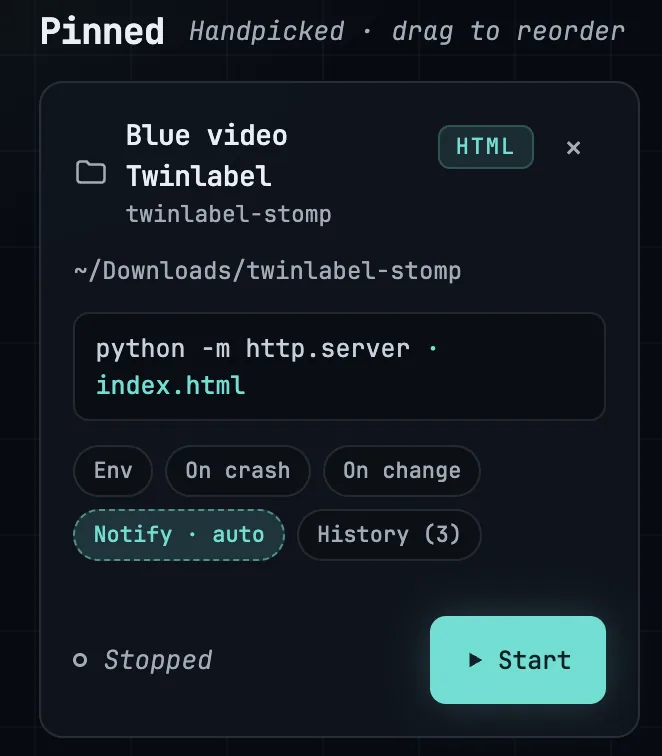
Running now list with ports, uptime and Stop buttons Pinned HTML project card with a Start button

04 Detection

It knows what to run.

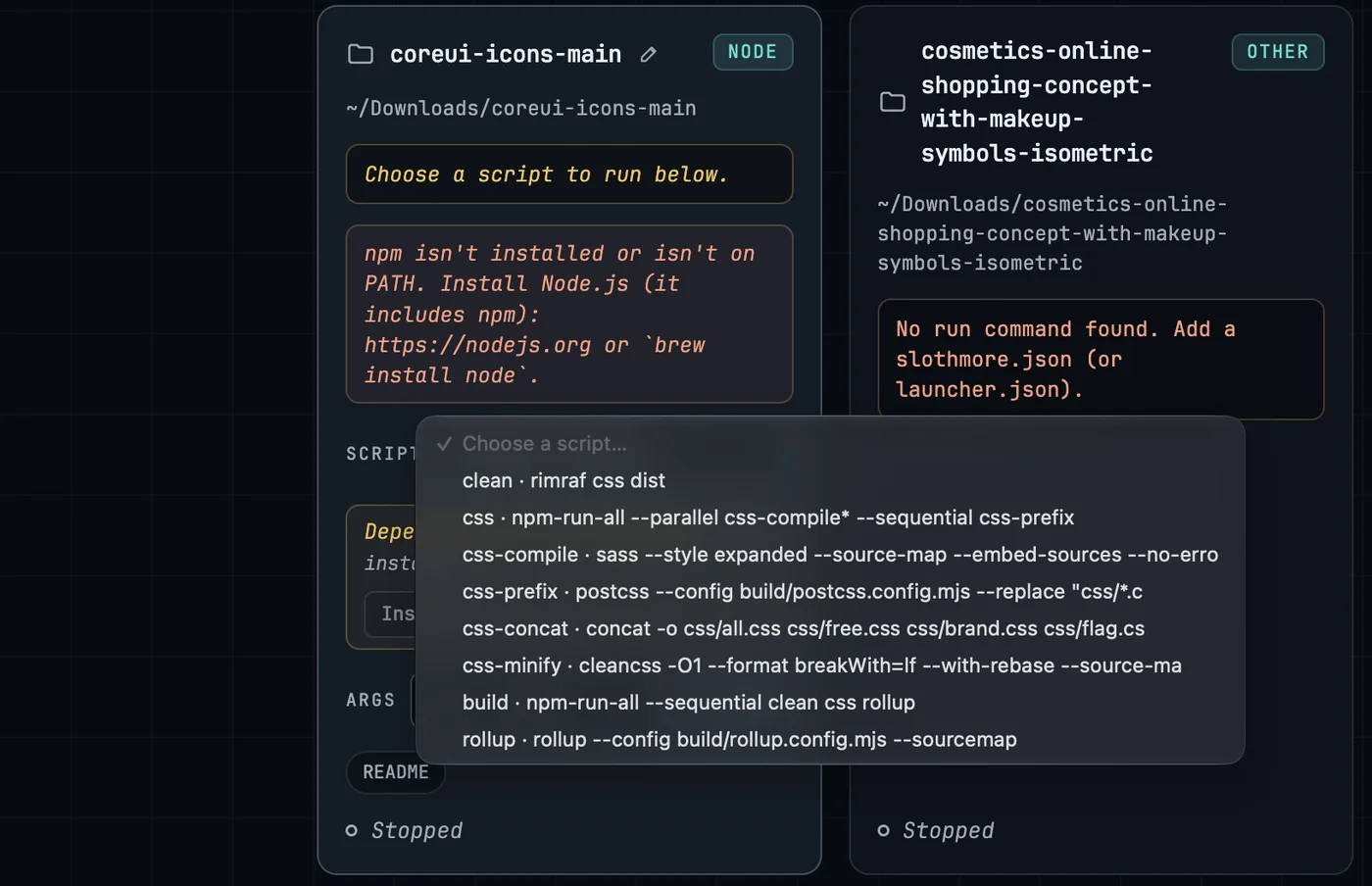
For each folder, the first matching rule wins: a dev script with the right package manager, a Makefile target, a Python entry point, uv run or poetry run, Deno tasks, Go, Rust, Rails, Compose, notebooks. When there is no obvious default, a picker appears.

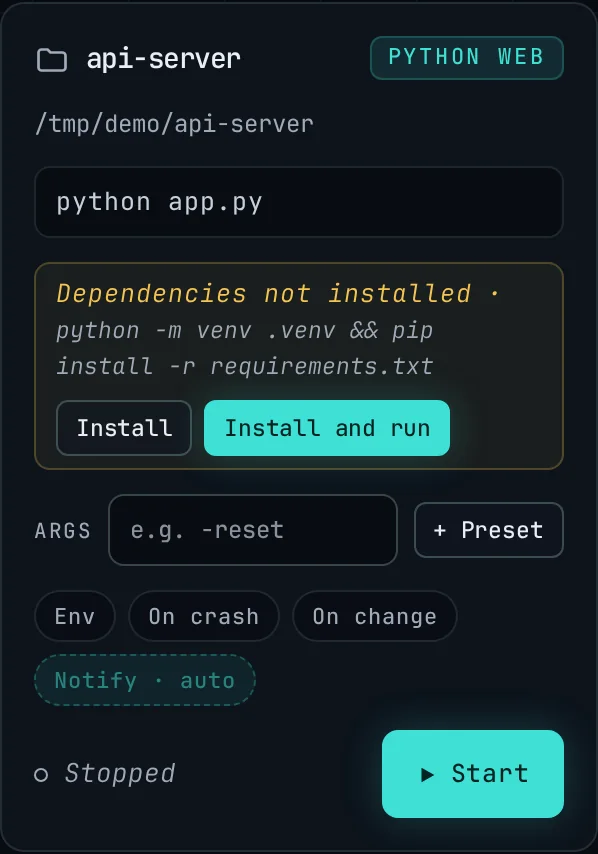
  • Dependencies not installed → Install and run: starts only if the install exits 0
  • Missing tools show in red, with the install command
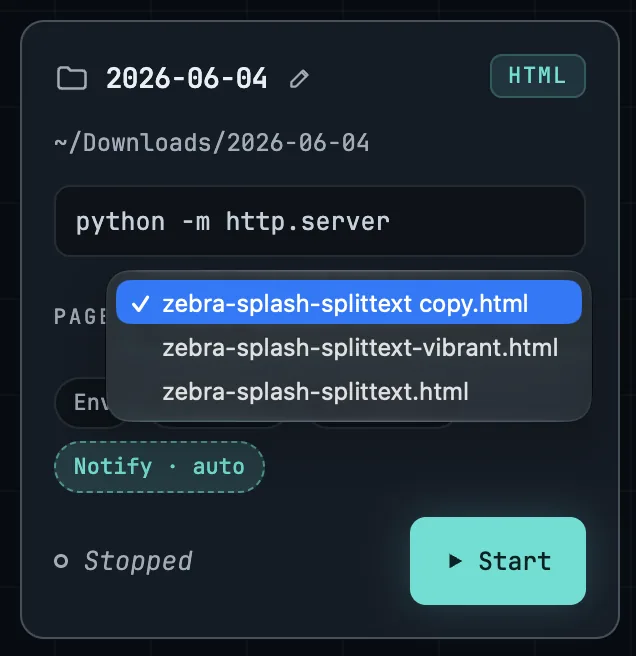
Card showing Dependencies not installed with Install and Install and run buttons Project cards with a script picker and a notice that npm is not installed HTML project card with a page picker

05 Output

Live output, replies, presets.

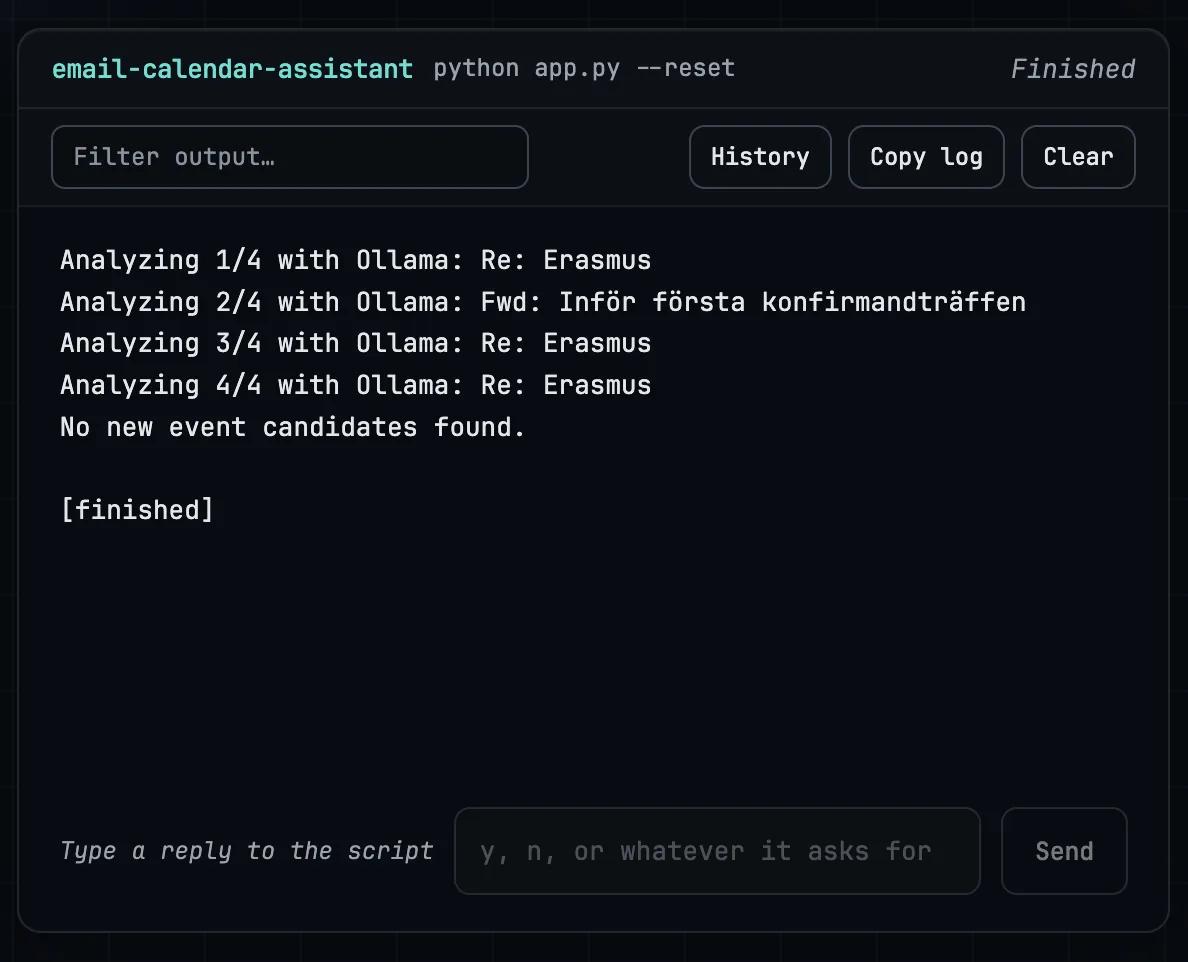
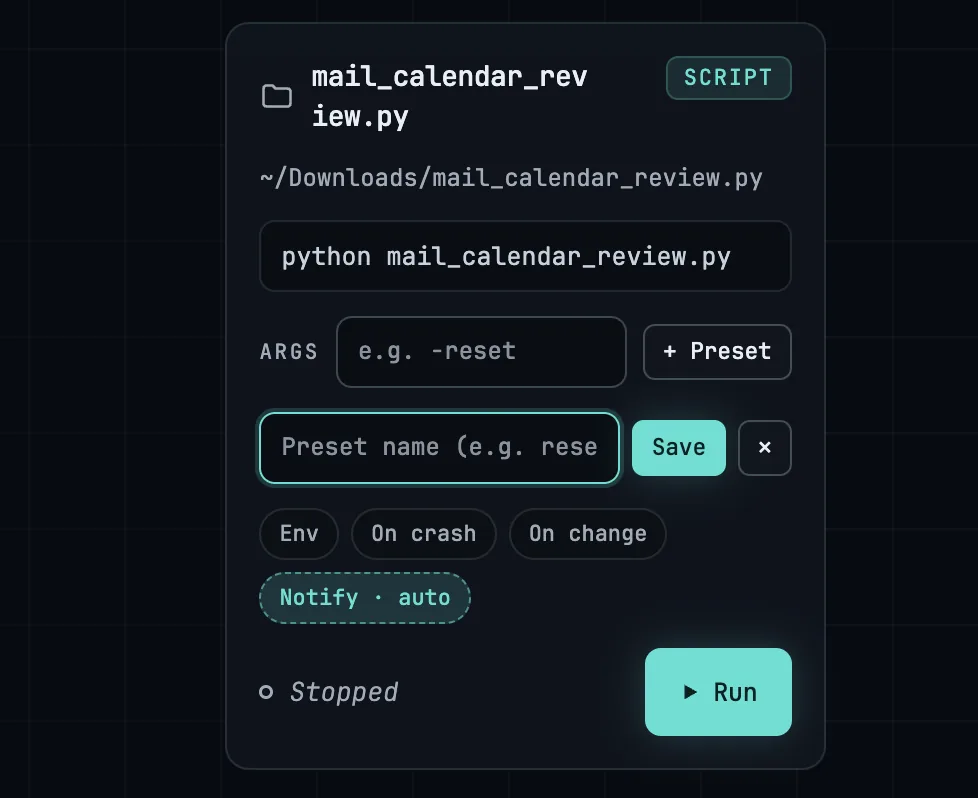
Output streams into a real terminal, so prompts and colours work. Answer a script from the reply field or the Y/N buttons. Save arguments as named presets, set environment variables per card (values are masked), and restart on crash or on file change.

  • Filter, copy, and the last 25 runs in History
  • Notifications when a run finishes, fails or waits for input
Output panel with streamed log lines and a reply field Card with an arguments field and a saved preset

06 Ports

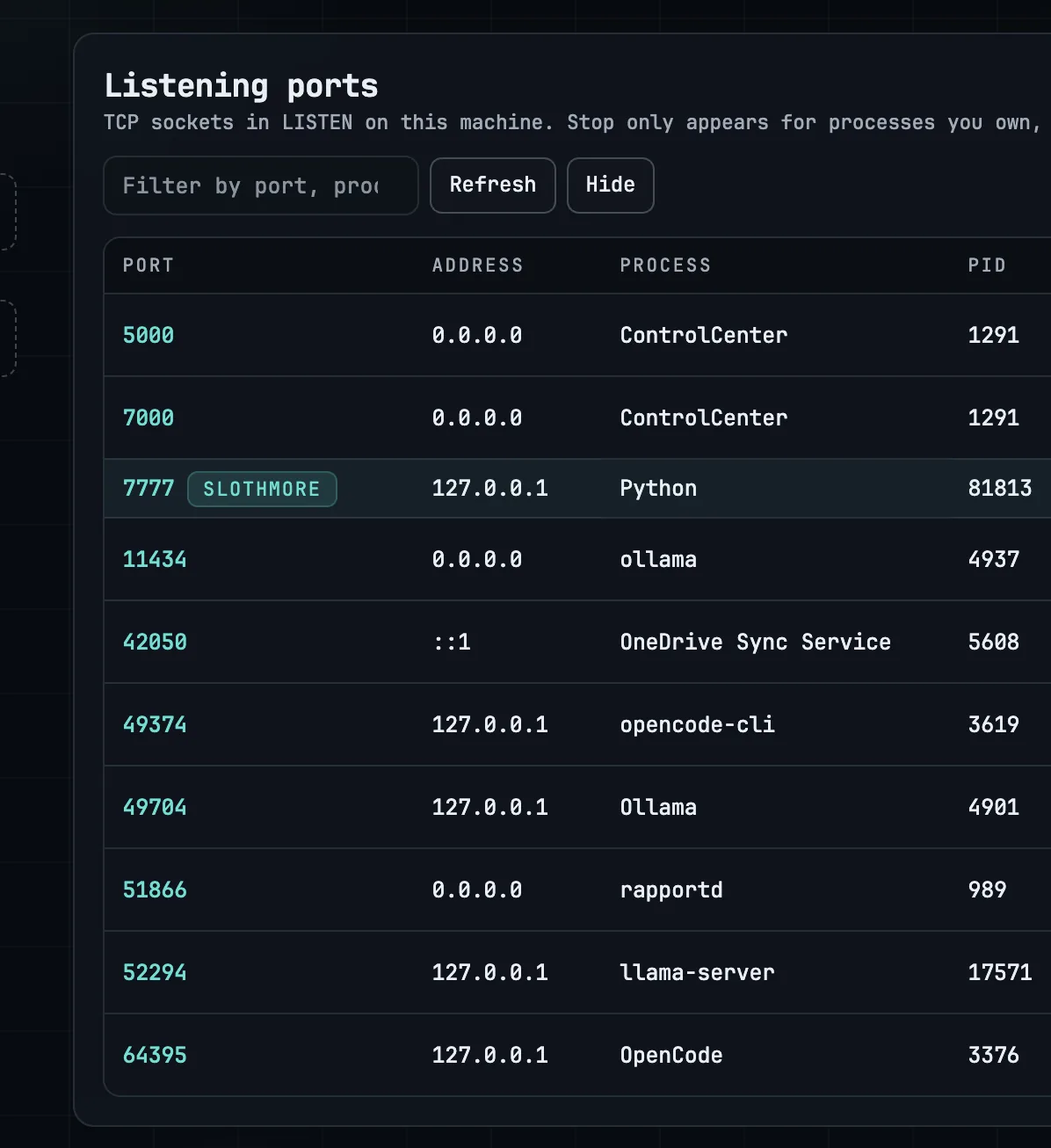
See what is listening.

The Ports view lists every listening TCP port on the machine with its process, PID and folder. Ports that look like HTTP get an Open button. Stop appears only for your own processes, asks first, and re-checks the PID just before it sends the signal.

  • Uses lsof; never runs a shell
Table of listening ports with process names, PIDs and Open and Stop buttons

07 AI

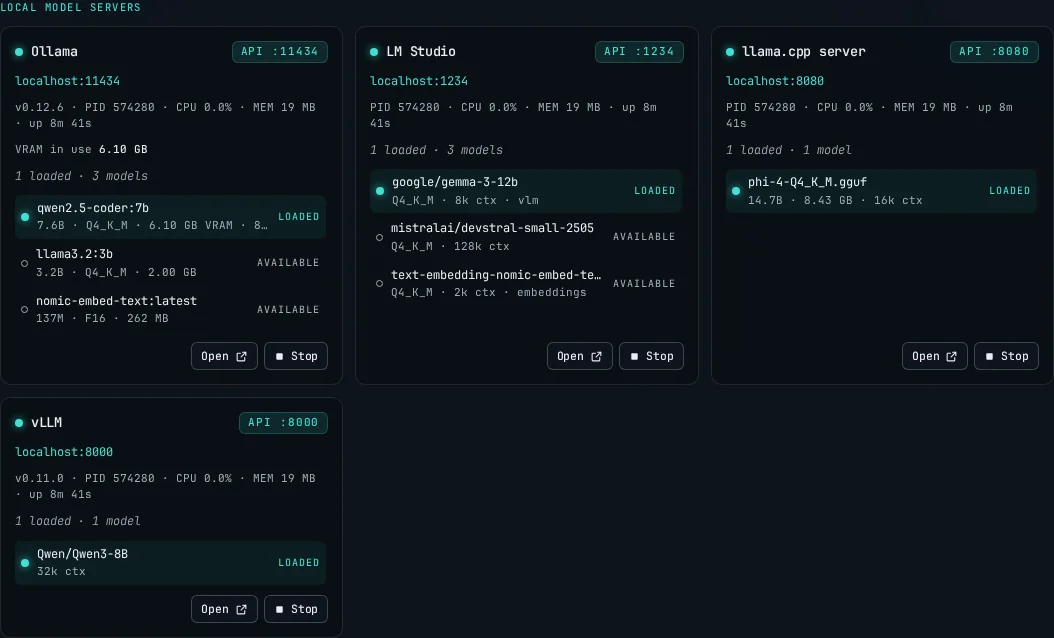
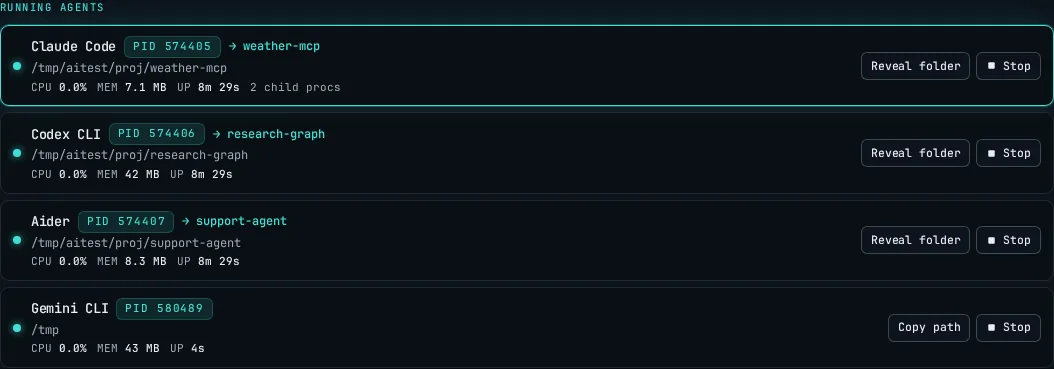
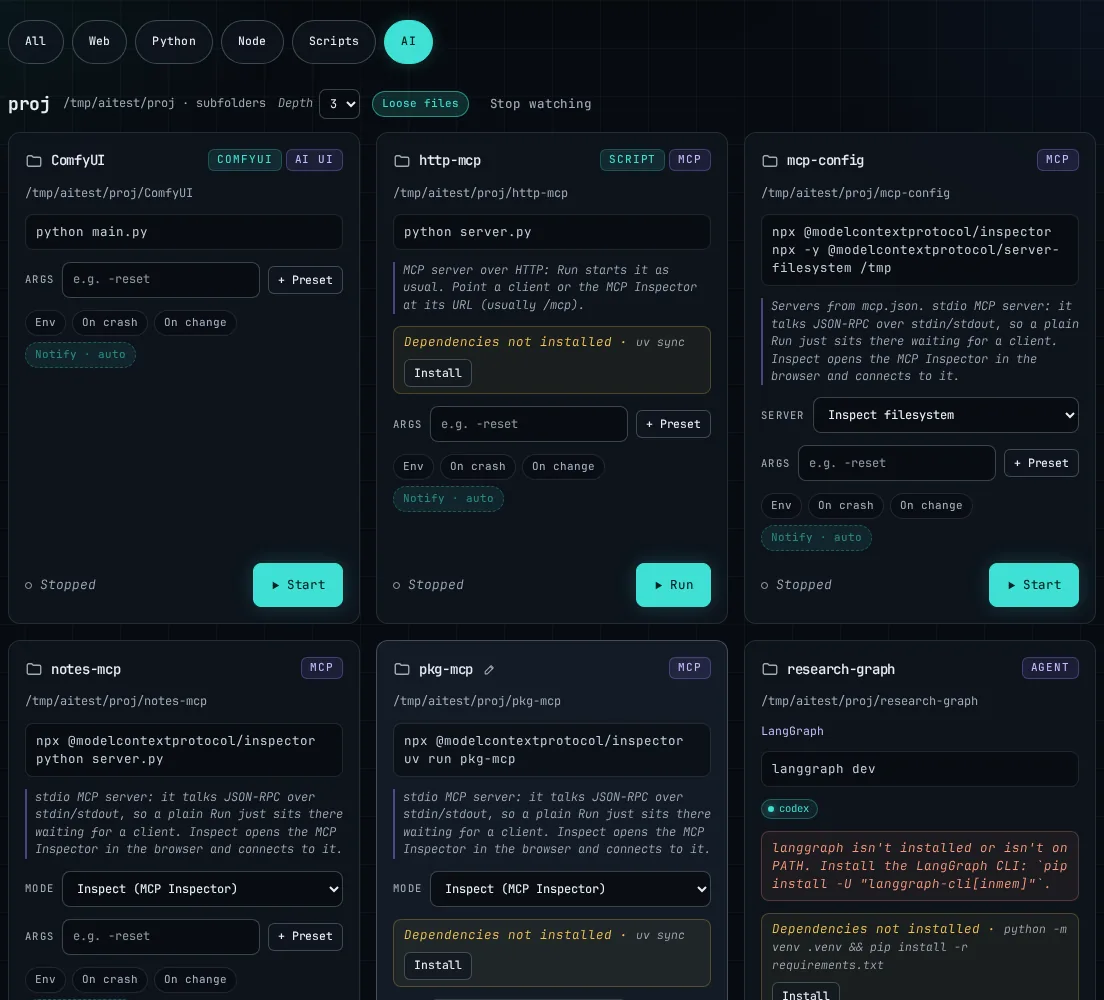
Local models and running agents.

Models finds local model servers (Ollama, LM Studio, llama.cpp, vLLM, Jan and more) and their loaded models. Agents lists coding agents running on the machine, such as Claude Code, Codex CLI, Aider and Gemini CLI, with their folder. MCP servers open in the Inspector. Slothmore never calls a model.

  • Agent badges for LangChain, CrewAI, OpenAI Agents SDK, Pydantic AI and others
Local model servers with loaded models Running coding agents with PID and folder Cards for MCP servers with Inspect mode and agent projects

08 Folders

Folders, groups, monorepos.

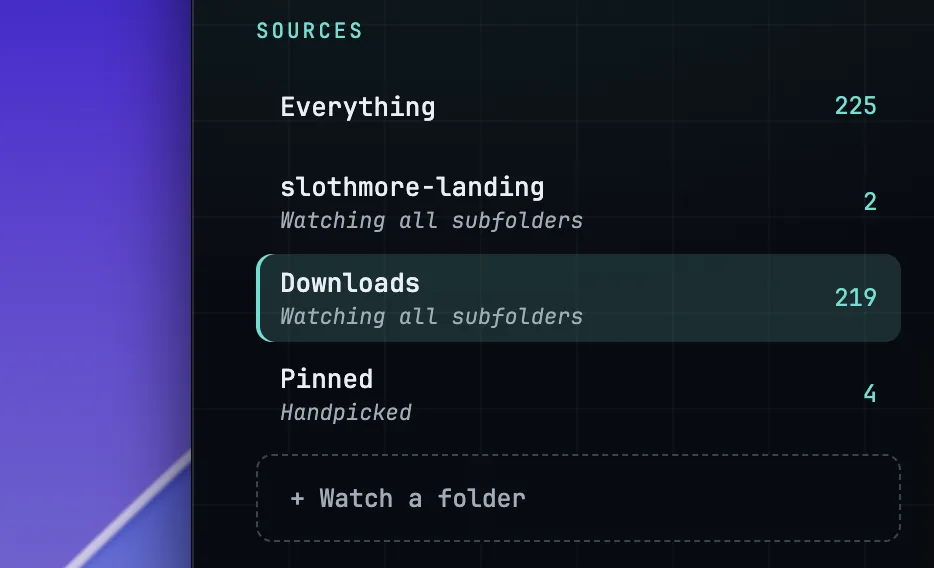
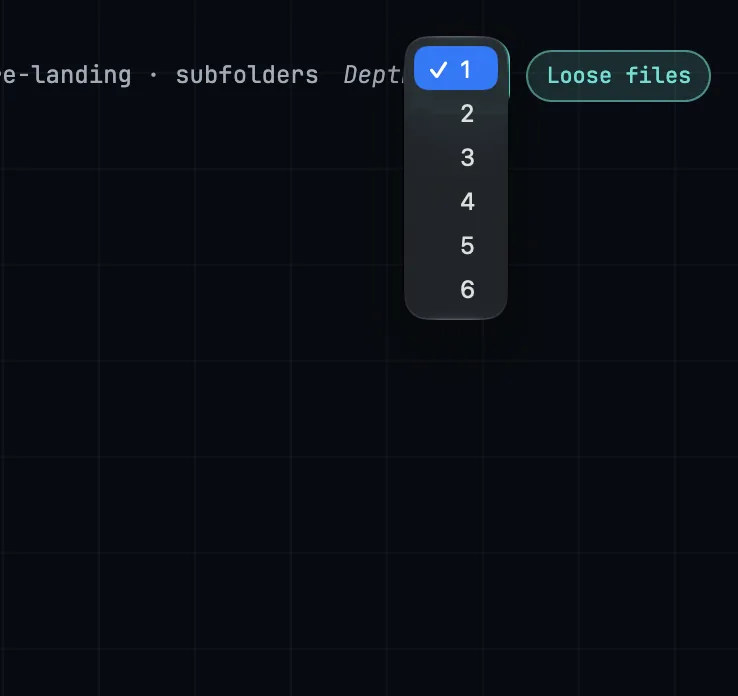
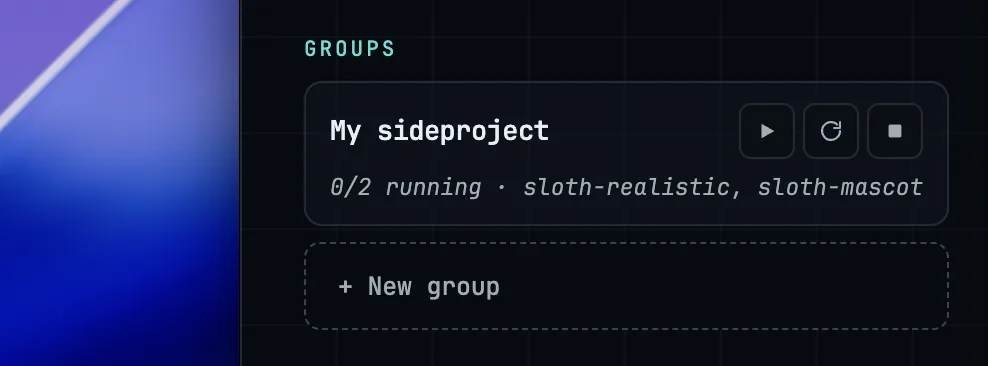
Watch a folder and every subfolder becomes a card, with new ones added automatically. Nested projects are found up to 3 levels deep (adjustable 1–6), monorepos get one card per package, and loose .py, .sh, .js and .html files are included. Groups start, restart and stop a frontend and backend together.

  • Pin a folder or script by dragging it in from Finder
Sources list with watched folders and pinned items Depth dropdown and Loose files switch A group with start, restart and stop buttons

And more

The details that save time.

  • ⌘KCommand paletteFuzzy-search and run any item, group, model server or agent.
  • ↻Auto-restartOn crash, on file change, or both, per card.
  • Y/NPrompt repliesAnswer interactive scripts with one click.
  • envEnv vars per cardValues are masked in the UI and stored 0600.
  • 25Run historyLogs of the last 25 runs per item.
  • mdREADME viewerRead a project's README without leaving the dashboard.
  • AaCustom namesDouble-click a title to rename a card.
  • !NotificationsWhen a run finishes, fails or waits for input.
  • %CPU and memoryLive usage and uptime for what is running.
  • ⇅Drag to pinDrop folders or scripts from Finder, reorder by dragging.
  • { }slothmore.jsonSet the command yourself; it always wins.
  • ▢Dock appInstall the dashboard as an app from the browser.

Two views, one server

Quick panel or full window.

Both talk to the same server on 127.0.0.1:7777. Use whichever fits the moment.

Menu bar quick panelFull window
Search and startType, Enter⌘K palette and / search
Running items: open, restart, stopYesYes
Install and runFrom Quick startOn the card
Listening portsSummaryFull table
Local AI serversSummaryModels and agents
Live output and replies–Yes
Args, presets, env, groups–Yes
Kill all mineYes, asks first–
Switch viewsFull view ⌘OMenu bar icon on/off in the sidebar

Hard facts

What it detects, and how it runs.

Checked in this order for every folder; the first match wins.

#Found in the folderRuns
1slothmore.json with cmdthat command (always wins)
2AI projects: ComfyUI, Open WebUI, langgraph.json, CrewAI, MCP servers, Streamlit, Gradiothe project's own launcher, e.g. langgraph dev, crewai run, streamlit run; MCP via the Inspector
3package.json with dev, start, serve or previewnpm / pnpm / yarn / bun run dev, chosen by lockfile
4Makefile with dev, run, start or servemake <target>
5app.py, main.py, server.py, run.pypython <file>, using .venv/ if present
6pyproject.toml scriptsuv run or poetry run
7deno.json / deno.jsonc tasksdeno task dev
8go.mod / Cargo.tomlgo run . / cargo run
9bin/rails / config.rubin/rails server / bundle exec rackup
10compose.yaml, docker-compose.ymldocker compose up, clean shutdown on Stop
11run.sh, start.sh, dev.shbash <file>
12package.json main, or index.js / server.js / main.jsnode <file>
13index.html or static *.htmlpython -m http.server, page picker if several
14.py filesthe file with __main__, or a file picker
15package.json / Makefile without the abovescript or target picker
16*.ipynb notebooksjupyter lab

Requirements

  • macOS for the menu bar icon and quick panel
  • Homebrew to install
  • Python 3.12+ (Homebrew's python@3); CI runs 3.12 to 3.15
  • Standard library only. The menu bar helper's packages go into a private venv inside the keg; your own python3 is not changed.

Where things live

  • ~/.slothmore/config.jsonsettings, presets, groups, env values
  • ~/.slothmore/logs/run logs and history
  • ~/.slothmore/tokenaccess token
  • ~/.slothmore/slothmore.logapp log, rotating
  • SLOTHMORE_HOMEuse another folder

Private, local only

  • Listens on 127.0.0.1:7777, never on the network
  • Every request needs the access token
  • Host-header check against DNS rebinding; writes only from its own origin; strict Content-Security-Policy
  • ~/.slothmore is 0700, files are 0600
  • No accounts, no analytics, no model calls

Package managers and installs

  • Lockfile decides: pnpm-lock.yaml, yarn.lock, bun.lock, package-lock.json, or packageManager
  • Install runs <pm> install, uv sync, poetry install or venv + pip
  • Monorepos: workspaces, pnpm-workspace.yaml, apps/* + packages/*

Keyboard

  • ⌘Kcommand palette
  • /folder search
  • ⌘.stop selected
  • ⇧Rrestart selected
  • ⇧Hrun history
  • ?shortcut help

License

  • MIT, © 2026 Markus Wulff
  • Version 0.2.3
  • Set in JetBrains Mono (SIL OFL 1.1), bundled
  • Source on GitHub →

Install

Two commands. Free and open source.

  1. 1
    Install with Homebrew
    brew install markusswedpal/tap/slothmore
  2. 2
    Put the sloth in your menu bar, at every login
    slothmore menubar --install-login
  3. 3
    Open the full window
    slothmore

    Or keep the server running in the background with brew services start slothmore, then slothmore open.

github.com/markusswedpal/slothmore v0.2.3 · MIT · macOS

Questions

Short answers.

Do I need the menu bar icon?

No. The dashboard works on its own in the browser or as a Dock app. The menu bar helper is optional and can be switched off from the sidebar.

Does anything leave my Mac?

No. The server binds to 127.0.0.1. The AI view only sends short local requests to model servers on 127.0.0.1, and only while a dashboard tab is visible. Slothmore never calls a model.

Can it stop processes it did not start?

Only when you ask. Kill all mine acts only on what Slothmore started. In the Ports view, Stop appears for your own processes, asks first and re-checks the PID. The port check before a start never stops anything; it shows what is using the port.

Can I choose the command myself?

Yes. Put a slothmore.json with a cmd in the folder. It takes priority over detection.

Another port than 7777?

Run slothmore --port 8888. slothmore url prints the signed-in address.